Verifying Your Account
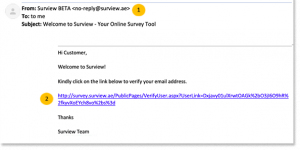
It’s a necessary step to verify your email address to activate your Surview account and to receive account-related emails from us. After signing up to our system, check your inbox because you will automatically receive a no-reply email from Surview with a link to verify your account.
Verifying Your Account in Surview
To verify your account:
- Go to your inbox and look for an email from Surview.
- Click the verification link provided.
- After verifying your email address, you will receive a confirmation message that your account has been verified.
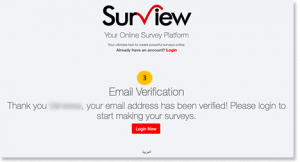
You can now log-in to your account and start creating surveys.
No Surview account yet? Sign up here for Free – and create your own survey!