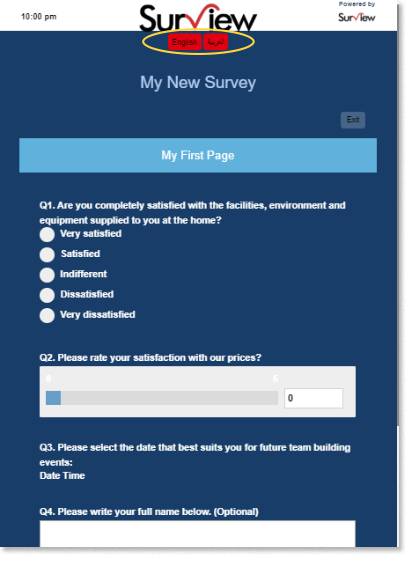
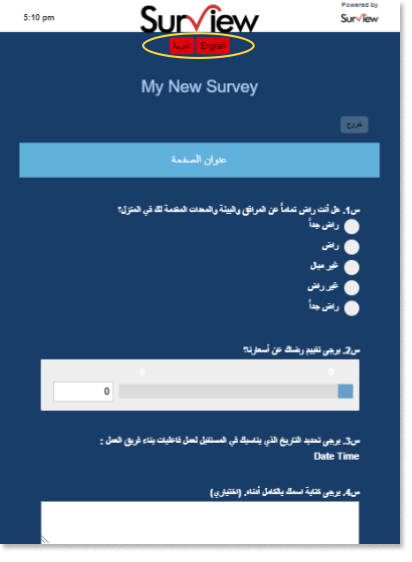
Language Switch
Your survey account language is being selected upon signing up to our system.
Once you have chosen your preferred language, it will be set as a default language for your account. All the information in your dashboard as well as in creating surveys will be on the language that you have selected.
Changing the Account Language
Changing English Language to Arabic Language:
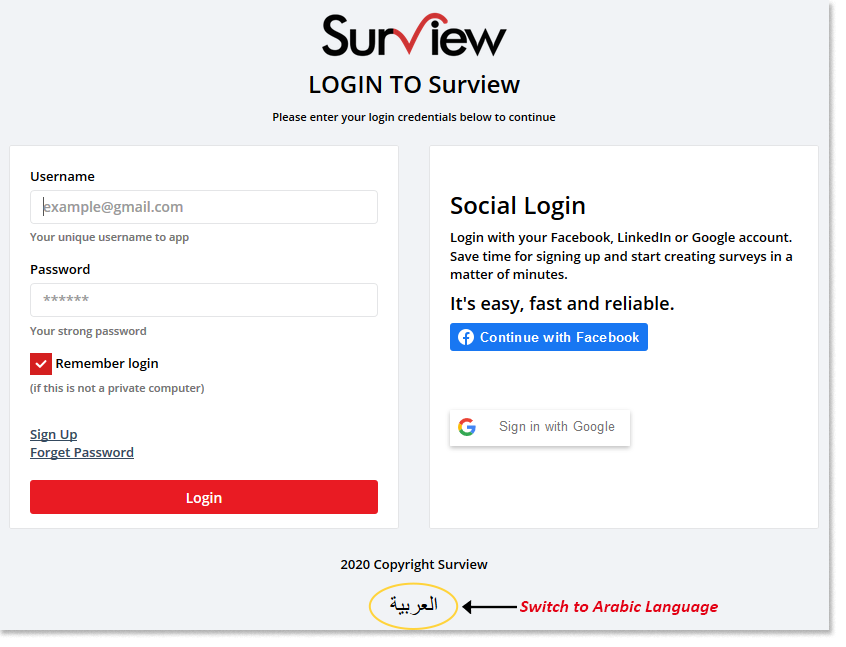
- In the sign in page, click the Arabic word below “2020 Copyright Surview”.
Survey Language Switch using Language Stripe
Create a survey in English language. Collect responses using the web link to obtain the link to be set up in the language stripe.
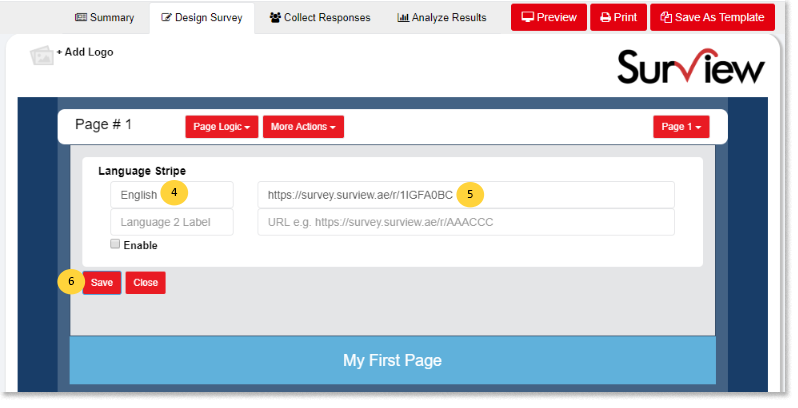
To Set Up the English language in the Language Stripe:
Copy the Link from the Web Link collector.
- In the Design Survey tab.
- Click More Options.
- Select Language Stripe.
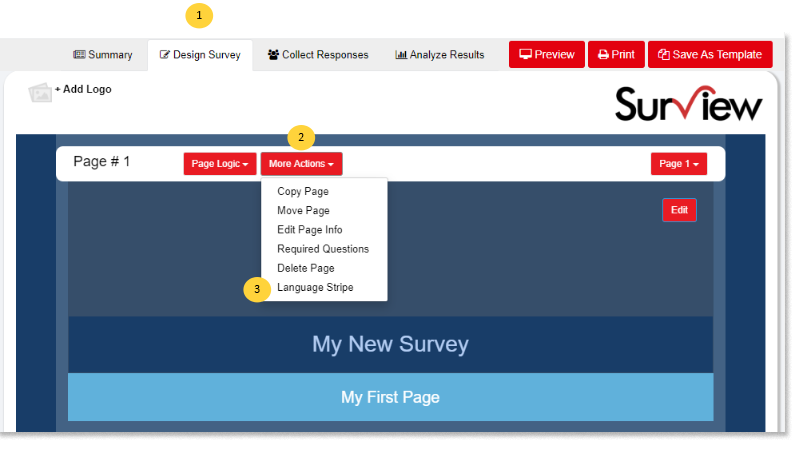
- Name the Language Label 1 – for example, ENGLISH.
- Paste the Link copied from the web link collector.
- Click Save.
Create a survey in Arabic language. Collect responses using the web link to obtain the link to be set up in the language stripe.
To Set Up the Arabic language in the Language Stripe:
Copy the Link from the Web Link collector.
- In the Design Survey tab.
- Click More Options.
- Select Language Stripe.
- Name the Language Label 2 – for example, ARABIC or the arabic word for “ARABIC”.
- Paste the Link copied from the web link collector.
- Click Enable.
- Click Save.
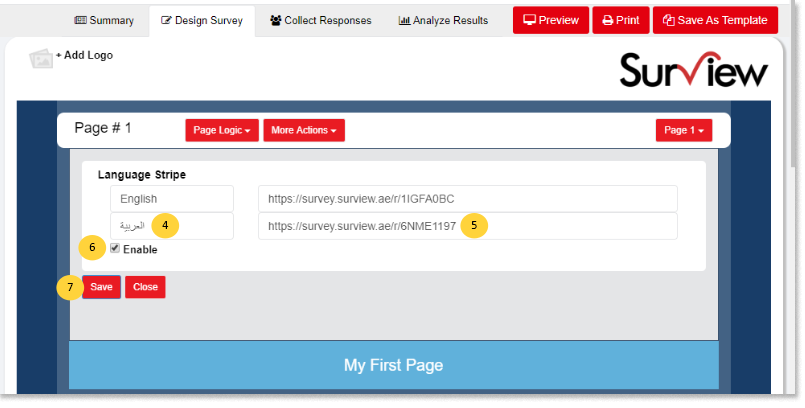
Once the language stripe has been enabled, both languages will be available in a survey. Click Preview to view the survey either in English or Arabic.