How Surview Tablet Solution works?
Surveys can gather first-hand feedback on how happy your customers are throughout their entire journey – factors that can influence satisfaction may include;
- How easy it was to reach their desired product/service
- The comfort and cleanliness of the shopping area
- Whether or not their shopping was on enjoyable
- How receptive the staff was to customers’ needs
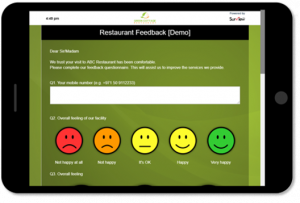
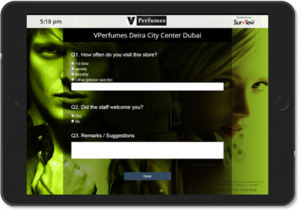
Click images below to view live demo:
How Surview Tablet Solution works?
- You place a tablet or iPad (either iOS or Android) where your customers will see it. Usually at the check in desk, till or in a relaxation area.
- On the tablet or iPad screen, the customer will simply click on the couple of icons when they check out or walk by. This requires minimal time and effort.
- Their scores, along with any comment feedback, is logged into your account and becomes immediately available to you for analysis and reporting.
- Click here to know more about Surview iPad/Tablet Based Feedback Collection Solution or watch the video below.
Options for Device and Connectivity
- Works on iOs and Android.
- Great for areas with poor or no internet connection at all.
- Collect responses with or without internet connections.
- Once connected to the internet, the responses will be automatically synced to your Surview account.
Quick and easy to give Feedback
- Make it easy for your customers to give feedback – whether good or bad.
- One or two tap feedback or a simple NPS question with a comment input.
- Ask one or two survey questions – make them as relevant as possible.
Customizable Design
- Design your own survey – Background images, Logo, Theme & Colours
- Create your own questions
- English and Arabic Versions Supported
– Or save time we’ll do it for you.
Analyze on the Go
- Watch performance in real time, via your reporting dashboard
- Make adjustments to situations and take real time action.
- Secure login assess responses from anywhere
- Overview with real-time response data
- Analyze by date range
- Analyze with filters
- Save responses with filter applied
- Export responses in MS Excel, PDF and other popular formats
Note: Surview will enable Kiosk Mode on the device which means the device will be locked to a particular survey. For this configuration charges may differ from the regular pricing structure.
CONTACT US:
Please send your feedback, comments, requests for technical support:
Email: cx@surview.ae
By visiting our website: www.surview.ae
By phone number: +971 4 333 0322