Footer
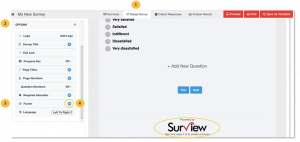
By default, the “Powered by Surview” footer is being displayed at the bottom of your survey. You can remove or change your survey footer depending on your subscription.
To remove the Surview Footer:
- Go to the Design Survey tab.
- Click Options.
- Click the Footer.
- By default, the Footer is On. Untick the checkbox next to it to remove the Surview footer.
- Changes will be saved automatically.