After I downloaded my exports, where do they go?
We store a copy of your exports for 14 days so that they can be readily downloaded again:
- Go to the Analyze Results tab.
- Locate the Export section on the left sidebar.
- Click the dropdown next to Export.
- Data exported window will open displaying the export details including the time and date of the export.
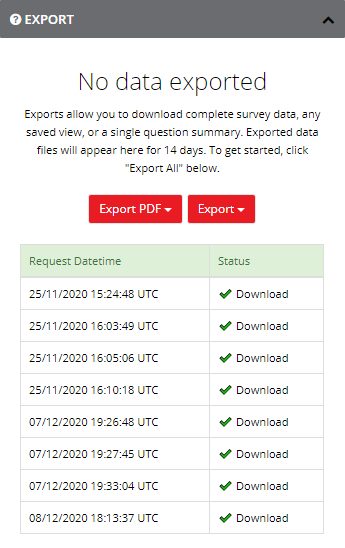
- Click
 the to re-download the exported data.